
Planning a family trip to Disneyland Paris? Here’s how the virtual queue system works, which Disney characters you can meet, and our top tips for making the most of your magical day.
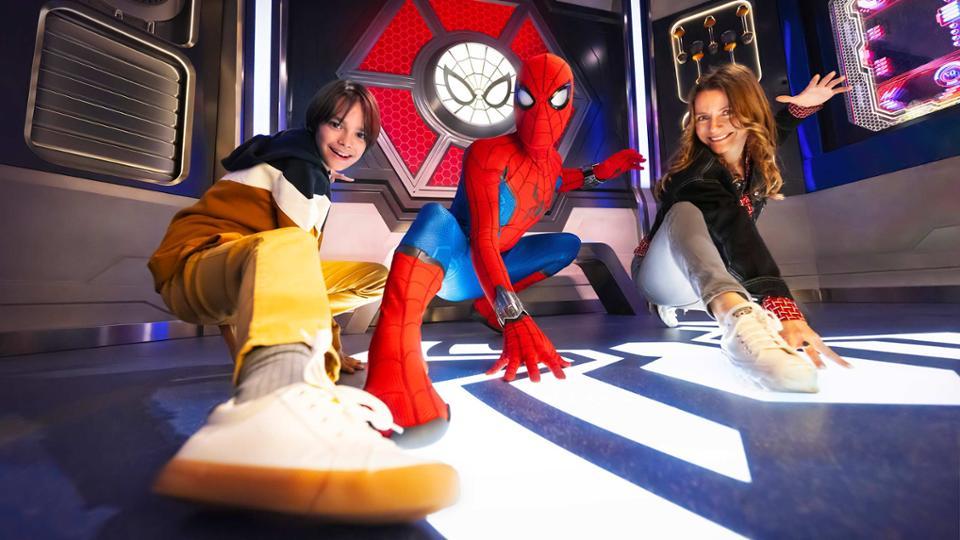
One of the most exciting parts of visiting Disneyland Paris with children is meeting their favourite Disney characters. Whether it’s a cuddle with Mickey Mouse, a royal greeting from a Disney Princess or a superhero encounter with Spider-Man, these are often the moments that children remember long after the holiday is over.
But if you’re planning a trip to Disneyland Paris, there’s something important you need to know before you arrive.
Some of the most popular Disney character meet-and-greets now use a virtual queue system, meaning you can’t simply turn up and join the usual queue.
Instead, you’ll need to reserve your place using the official Disneyland Paris app.
If you’re visiting with a big family, several children or a group of friends, understanding how the system works beforehand can make your day much easier.
Here’s everything you need to know about Disneyland Paris virtual queues in 2026, including the rules, how to book and some handy tips for families.
*Last updated: October 2026*
What Is the Disneyland Paris Virtual Queue?
The Disneyland Paris virtual queue is a free booking system that allows visitors to reserve a place for selected character meet-and-greets without spending ages standing in a traditional queue.
Rather than waiting in line for an hour or more, you join a virtual queue through the Disneyland Paris app and receive an estimated waiting time.
When your turn approaches, you’ll receive a notification telling you it’s time to head towards the character meeting location.
It’s a particularly useful system when visiting with younger children who aren’t always enthusiastic about spending their day waiting in queues!
You can use the time before your character encounter to explore the parks, enjoy other attractions or stop for something to eat.
However, places are limited, and joining a virtual queue doesn’t guarantee you’ll meet your chosen character until you’ve successfully secured a booking and the experience takes place.
Which Disneyland Paris Characters Use Virtual Queues?
Not every Disney character requires a virtual queue, which is where things can get a little confusing.
Some characters can still be met through traditional queues, while others require a reservation.
Character encounters that may use the virtual queue system include:
- Meet Mickey Mouse – Visit Mickey in Fantasyland at Disneyland Park.
- Disney Princesses at the Princess Pavilion – Meet one of Disney’s much-loved princesses.
- Marvel Super Heroes – Selected encounters at Avengers Campus, including the Hero Training Center.
- Anna and Elsa – A royal encounter in Arendelle Castle in World of Frozen.
- Other selected character experiences – These can change depending on the season and entertainment programme.
The characters available through virtual queues can change, so always check the Disneyland Paris app on the day of your visit.
And don’t worry, there are still opportunities to spot Disney characters around the parks without using a virtual queue.

How to Join a Disneyland Paris Virtual Queue
The good news is that joining a virtual queue is fairly straightforward once you’ve got everything ready.
Step 1: Download the Disneyland Paris App
Before travelling, download the official Disneyland Paris app onto your phone.
You can use it to check attraction waiting times, find character meet-and-greets, view park maps and organise parts of your visit.
Make sure you’ve created an account and linked your park tickets, Annual Passes or eligible hotel booking where applicable.
Doing this before your holiday can save valuable time once you arrive.
Step 2: Enter the Disney Park
You cannot join a virtual queue from your hotel room before entering the park.
Your park ticket must first be scanned at the entrance on the day of your visit.
Once you’ve entered, you can check which character encounters are accepting virtual queue reservations.
Step 3: Choose Your Character
Open the Disneyland Paris app and find the character encounters that require a virtual queue.
Choose the experience you’d like to book and select the number of people in your group.
You’ll then be able to see the estimated waiting time, subject to availability.
Step 4: Join the Virtual Queue
Follow the instructions in the app to secure your reservation.
If you’ve successfully joined, your booking information will appear in the app.
Remember that popular character encounters can fill up quickly, so it’s worth checking availability as soon as you’ve entered the park.
Step 5: Enjoy the Park While You Wait
One of the biggest advantages of the virtual queue system is that you don’t have to spend the whole time standing in line.
Instead, you can enjoy another attraction, grab a snack or explore the shops.
Keep your phone handy and make sure notifications are enabled.
Step 6: Meet Your Disney Character
When it’s time for your encounter, head to the designated location and follow the instructions provided.
You’ll still need to allow some time for the actual meet-and-greet, but hopefully you’ll have avoided a lengthy traditional queue.
And then comes the exciting part — meeting your favourite Disney character!
Disneyland Paris Virtual Queue Rules for 2026
There are several important rules families need to know before using the system.
| Rule | What it means for families |
|---|---|
| One booking at a time | You can only hold one active virtual queue reservation. |
| Maximum five per day | Each guest can join up to five virtual queues per day, subject to availability. |
| One visit per encounter | You can only book each particular virtual queue character encounter once per day. |
| Six guests per booking | A maximum of six ticketed guests can be included in one reservation. |
| Children under three | Under-threes don’t need their own virtual queue booking. |
| Booking is free | There is no additional charge for joining a virtual queue. |
| Park entry required | Your park ticket must be scanned before you can book. |
| Multiple booking waves | Reservations can open at several points throughout the day. |
If you cancel an existing reservation, you can attempt to book another, although availability isn’t guaranteed.
It’s worth remembering that even if you’re allowed five character reservations in one day, actually securing that many will depend on demand and availability.
How Does the Virtual Queue Work for Large Families?
If you’re visiting Disneyland Paris with a large family, there’s one rule you’ll definitely want to pay attention to.
Only six ticketed guests can be included in a single virtual queue booking.
For example, if you’re travelling as a family of eight and everyone is aged three or over, you’ll need to arrange more than one booking.
This can make things a little more complicated, especially if everyone wants to meet the same character together.
Our advice would be to make sure the adults in your group have the Disneyland Paris app downloaded and their relevant tickets linked before arriving.
You’ll then be better prepared to try for reservations when booking becomes available.
However, separate bookings don’t automatically mean you’ll receive the same return time, and meeting together cannot be guaranteed.
If you’re unsure how best to organise a larger group, ask a Cast Member for advice.
What About Babies and Toddlers?
There’s some good news for families visiting with very young children.
Children under three years old don’t need their own virtual queue reservation.
They can accompany the adults in their party without counting towards the six-person booking limit.
This is particularly helpful if you’re visiting with a baby or toddler alongside older children.
Can You Book More Than One Disney Character at a Time?
Unfortunately, no.
You can only have one active virtual queue reservation at a time.
For example, if you’ve successfully booked to meet Mickey Mouse, you cannot immediately reserve another virtual queue encounter with a Disney Princess.
You’ll need to wait until your existing booking is completed or cancel it before trying for another.
This means it’s worth thinking about which characters your children are most excited to meet.
If meeting a particular Disney Princess is the highlight of your child’s holiday, you might want to prioritise that experience rather than booking another character first.
What Time Do Disneyland Paris Virtual Queues Open?
Disneyland Paris uses several booking waves throughout the day, rather than necessarily releasing every available place at once.
The exact opening times can vary depending on the character encounter and the day’s arrangements.
For that reason, don’t rely on an old list of booking times found online.
Instead, check the official Disneyland Paris app during your visit for the latest information.
If you miss the first opportunity to book, it’s worth checking whether another booking wave is scheduled.
Just remember that availability is limited, and additional places aren’t guaranteed.
Do You Need the Disneyland Paris App?
The Disneyland Paris app is the easiest and recommended way to join a virtual queue.
However, if you don’t have a smartphone or are having difficulties using the app, you can ask a Cast Member for assistance at the entrance to the relevant character encounter.
This is particularly useful for families who don’t want to rely entirely on their phones throughout the day.
Just remember that Cast Members cannot guarantee a reservation if all available places have already been taken.
Do Priority Cards and Easy Access Cards Work With Virtual Queues?
If someone in your family has additional accessibility needs, it’s important to understand how virtual queues work alongside Disneyland Paris accessibility arrangements.
For character encounters that require a virtual queue, guests generally still need to obtain a virtual queue reservation, including those using Priority Cards or Easy Access Cards.
The virtual queue reservation system and the accessibility arrangements for the actual experience are separate considerations.
Because individual needs and arrangements can vary, we’d recommend checking the current accessibility guidance directly with Disneyland Paris before travelling and speaking to a Cast Member during your visit.
Our Top Tips for Using Disneyland Paris Virtual Queues With Children
A little preparation can make a big difference, particularly if you’re visiting with younger children or have several family members to organise.
1. Get the app ready before your holiday. Don’t leave downloading the app, creating an account and linking tickets until you’re standing at the park entrance.
2. Decide on your must-meet characters. Ask the children which characters they’d most love to see. Having a family favourite in mind makes it easier to decide which booking to prioritise.
3. Check availability after entering the park. Popular character encounters can be in high demand, so don’t leave your first check until late in the afternoon.
4. Keep an eye on additional booking waves. Missing an earlier opportunity doesn’t always mean you’ve missed out for the entire day.
5. Make sure your phone is charged. A portable power bank can be extremely useful when you’re relying on your phone for park tickets, maps, photographs and character reservations.
6. Plan something nearby while you wait. If you’ve booked a character encounter in Fantasyland, consider enjoying attractions in that area rather than heading to the opposite side of the resort.
7. Have a backup plan. Explain to younger children that character meetings are subject to availability. If their favourite isn’t available, there are still plenty of other magical experiences to enjoy.
8. Don’t spend your entire day refreshing the app. It’s easy to get caught up in trying to secure every character encounter, but remember to enjoy the rides, shows, parades and atmosphere too.
Are Disneyland Paris Virtual Queues Worth It?
For families, the virtual queue system has some definite advantages.
Spending less time in traditional queues can mean more time enjoying the attractions, especially when travelling with younger children.
It can also make it easier to fit character meetings around mealtimes, shows and the rest of your day.
However, the system isn’t perfect.
Reservations can fill up quickly, and you might not manage to meet every character on your wish list.
For larger families, the six-person booking limit can also make organising encounters a little trickier.
Our advice is to treat character meetings as one part of your Disneyland Paris adventure rather than letting them take over the whole day.
After all, there’s so much more to enjoy!
Disneyland Paris Virtual Queue FAQs
Is the Disneyland Paris virtual queue free?
Yes. Joining a virtual queue for an eligible character encounter is free with valid park admission. You don’t need to purchase Disney Premier Access.
Can I join a virtual queue before arriving at Disneyland Paris?
No. Your park ticket needs to be scanned at the park entrance before you can join a virtual queue.
Can I book Mickey Mouse and a Disney Princess at the same time?
No. You can only hold one active virtual queue booking at a time.
How many characters can I meet using virtual queues in one day?
The rules allow up to five virtual queue bookings per guest per day, but the number you actually secure will depend on availability.
Can I book for seven or eight people?
Each booking can include up to six ticketed guests. Larger groups will need separate reservations, and matching return times aren’t guaranteed.
Do babies need a virtual queue reservation?
No. Children under three years old don’t require their own reservation.
What happens if I miss my virtual queue booking?
Follow the instructions shown in the app and speak to a Cast Member at the character encounter location. Late admission shouldn’t be assumed or relied upon.
Are all Disneyland Paris characters on virtual queues?
No. Only selected character encounters require virtual queue reservations. Other character meetings may have traditional queues or different arrangements.
Can I join a virtual queue in the other Disney Park?
Guests with a one-park ticket can only book eligible encounters in the park they’ve entered. Guests with appropriate access to both parks can book eligible encounters in either park, subject to the ticket and booking conditions.
Final Thoughts: Making the Most of Disneyland Paris Character Meets
Meeting Disney characters can be one of the highlights of a family holiday to Disneyland Paris.
From a child’s first cuddle with Mickey Mouse to finally meeting their favourite princess, these are the little moments that make a Disney holiday feel extra special.
The virtual queue system might seem a little confusing at first, but once you understand the rules, it’s much easier to plan your day.
For larger families, the most important things to remember are the six-person booking limit, the one-active-booking rule and the need to have your park tickets scanned before joining a queue.
Get organised before you travel, prioritise the experiences that matter most to your family and keep a little flexibility in your plans.
And most importantly, don’t forget to enjoy all those magical moments together!
Please note: Disneyland Paris character encounters, virtual queue arrangements and availability can change without notice. Always check the official Disneyland Paris app and website for the latest information before and during your visit.